 (713) 965-7200
Cloud for Law Firms 101: Security, Compliance and Vendor Lock-In Traps


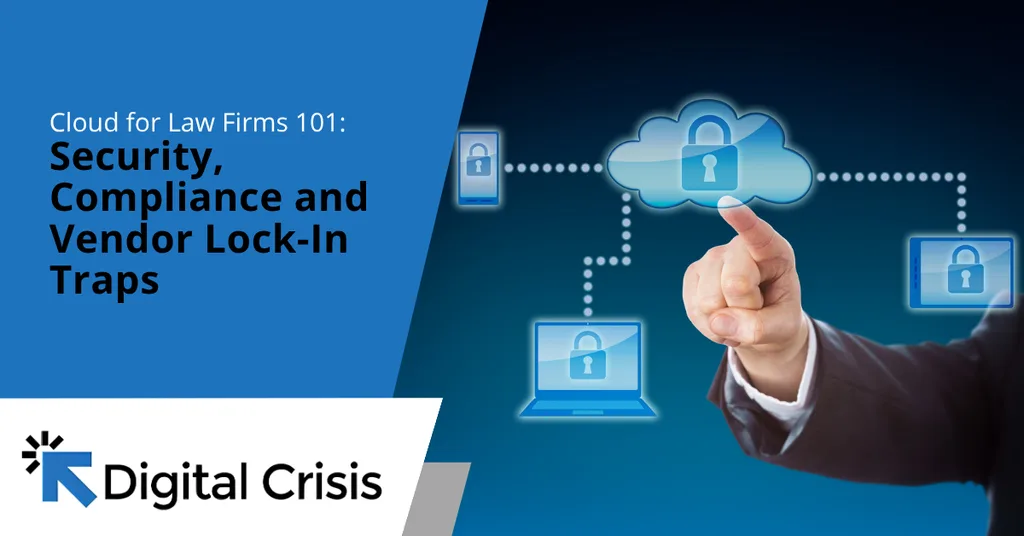
Article summary: Cloud technology gives Texas law firms greater flexibility, but it also introduces security, compliance and vendor-related risks. Protecting client information requires understanding shared security responsibilities, evaluating providers against ethical obligations and ensuring data remains accessible when switching vendors. With the right safeguards, firms can take advantage of the cloud without compromising confidentiality or control.
Your associate just finished drafting a motion on a laptop at an Austin coffee shop. The file is stored on a server your firm has never seen, managed by a provider you’ve never contacted.
Is that a problem?
Not necessarily. Cloud technology allows attorneys and staff to work securely from virtually anywhere. However, it also introduces risks that vendors may not mention during a sales pitch.
For law firms, keeping cloud data secure starts with three questions: Who is responsible for protecting your data? What do Texas ethics rules require? And how easily can you switch providers if the relationship no longer works?
Your Firm Is Probably Already in the Cloud
Does your firm use Microsoft 365, cloud-based document storage or an online practice management system? If so, you’re already using the cloud.
According to the ABA’s 2024 Cloud Computing TechReport, approximately 75% of attorneys reported using cloud services for work, up from 60% in 2021.
But security practices haven’t kept pace. Nearly 20% of respondents reported taking no cloud security precautions, while fewer than 30% reviewed ethics rules, privacy policies or vendor terms of service.
The question isn’t whether your firm uses the cloud. It’s whether anyone has verified that your data, client confidentiality and access controls are adequately protected.
Security: Who Protects What?
Many attorneys assume their cloud provider handles security. In reality, protecting client information is a shared responsibility.
Microsoft outlines this division in its shared responsibility model. While the provider protects its physical infrastructure, your firm remains responsible for:
- Data security: Protecting client files and sensitive information.
- Device security: Securing the laptops, phones and other devices that access cloud services.
- User accounts: Managing employee access and promptly disabling accounts when staff leave.
- Access controls: Using safeguards such as multifactor authentication (MFA) to prevent unauthorized logins.
Think of it this way: Microsoft secures the building, but your firm decides who gets a key and when to take it back.
If a former paralegal still has access to client files months after leaving, that’s a security gap your firm must address. Your cloud provider won’t automatically know when someone should lose access.
Compliance: What Texas Ethics Rules Expect
Texas attorneys can store confidential client information in the cloud, but they must take reasonable steps to protect it.
In 2018, Texas Ethics Opinion 680 confirmed that cloud storage and document preparation services are permissible under Texas ethics rules, provided attorneys remain vigilant about security risks.
The ABA offers related guidance in Formal Opinion 477R, which addresses electronic client communications. It emphasizes that security precautions should reflect the sensitivity of the information and the risk of unauthorized access.
Reasonable Precautions in Practice
Texas Ethics Opinion 680 identifies several steps attorneys should take when evaluating cloud services:
- Understand how the cloud technology works.
- Review the provider’s terms of service.
- Evaluate the provider’s existing security protections.
- Determine whether additional safeguards, such as encryption, are necessary.
- Watch for known security weaknesses or a history of breaches.
- Train attorneys and staff to protect confidential information.
Lawyers don’t need to become IT experts, but they do need to understand the risks and stay informed. Documenting vendor evaluations and security decisions is also a smart practice that helps demonstrate due diligence.
Don’t Forget Breach Reporting
A cloud data breach can also trigger legal notification requirements.
Under Texas law, organizations required to provide breach notifications must report qualifying incidents affecting at least 250 Texas residents to the Attorney General as soon as practicable, but no later than 30 days after determining that a breach occurred.
Notification obligations may also apply to affected individuals, even when fewer than 250 Texans are involved.
Your cloud provider should offer access logs and other security tools to help investigate incidents and determine what information may have been exposed. Our guide to selecting secure legal software explains which features to prioritize.
Vendor Lock-In Traps to Watch For
Vendor lock-in occurs when switching providers becomes too costly or complicated, leaving your firm stuck with rising prices or declining service.
Before choosing a cloud provider, watch for these restrictions:
- Export limits: You can download documents but not related matter notes, billing records or time entries.
- Proprietary formats: Files require the vendor’s software to open.
- Exit fees: Bulk exports or post-cancellation access come with additional charges.
- Vendor-controlled backups: Your only backup is stored with the same provider, limiting your recovery options.
Our guide to the backup exit strategy explains how to determine whether your firm can recover its data without vendor assistance.
Vendor lock-in can also complicate your ethical obligation to return client files when representation ends. Your firm needs reliable access to those records, even when changing providers.
A Simple Plan for a Safer Cloud
Moving to the cloud doesn’t have to put your firm’s security at risk. Digital Crisis helps Texas law firms plan secure cloud transitions, drawing on founder Zach Kitchen’s background in ethical hacking to identify potential vulnerabilities.
Our approach focuses on three steps:
- Map your data. Identify where client files are stored, including overlooked systems and storage locations.
- Evaluate vendors. Review security protections, compliance considerations and data export terms before committing.
- Secure your systems. Implement multifactor authentication, device security controls and independent backups.
Planning a transition? Our guide to secure legal data migration covers how to move sensitive information while minimizing risk.
The result is a more secure, flexible practice that maintains control over its data.
Is Your Cloud Setup Putting Client Data at Risk?
Cloud security isn’t something law firms can afford to take for granted. Overlooked vulnerabilities, unclear vendor responsibilities and restrictive contracts can put client confidentiality and business continuity at risk.
Not sure whether your current cloud setup meets your firm’s needs? Call Digital Crisis at (713) 965-7200 or contact us online to schedule a consultation and identify potential security gaps.
Article FAQs
Is it ethical for Texas lawyers to use cloud storage?
Yes. Texas Ethics Opinion 680 says lawyers may store confidential client information in the cloud. They must take reasonable precautions, such as reading the provider’s terms and training staff.
Who is responsible for security in the cloud?
Cloud security is a shared responsibility. Providers protect their infrastructure, while law firms remain responsible for securing client data, managing user access and protecting devices connected to cloud services.
What is vendor lock-in for law firms?
Vendor lock-in occurs when switching cloud providers becomes difficult or expensive. Common obstacles include data export restrictions, proprietary file formats and termination fees. Reviewing contract terms and data portability options before signing can reduce these risks.